Find Out What's Really
Eating Your Disk Space
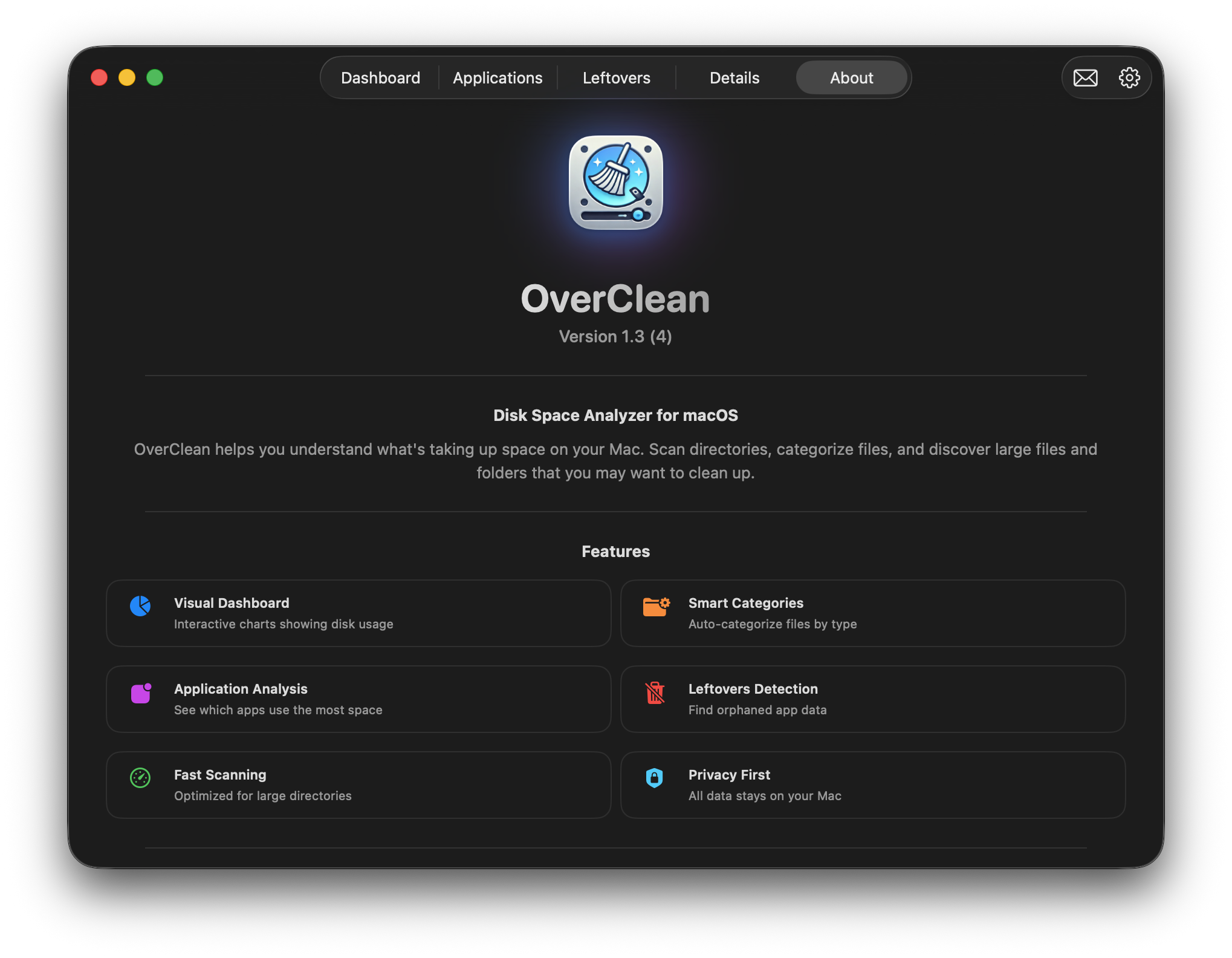
macOS tells you the disk is full, not what's on it. OverClean scans every folder, sorts what it finds, and shows you the files, apps, and leftovers actually using the space.
Sound familiar?
"Your startup disk is almost full."
Storage settings shows a big grey "System Data" slice — and no way in.
You deleted an app months ago. Its files are still there.
You don't know which of your apps is the heavy one.
You're not sure what's safe to remove, so you remove nothing.
Problem
macOS won't tell you what's using the space
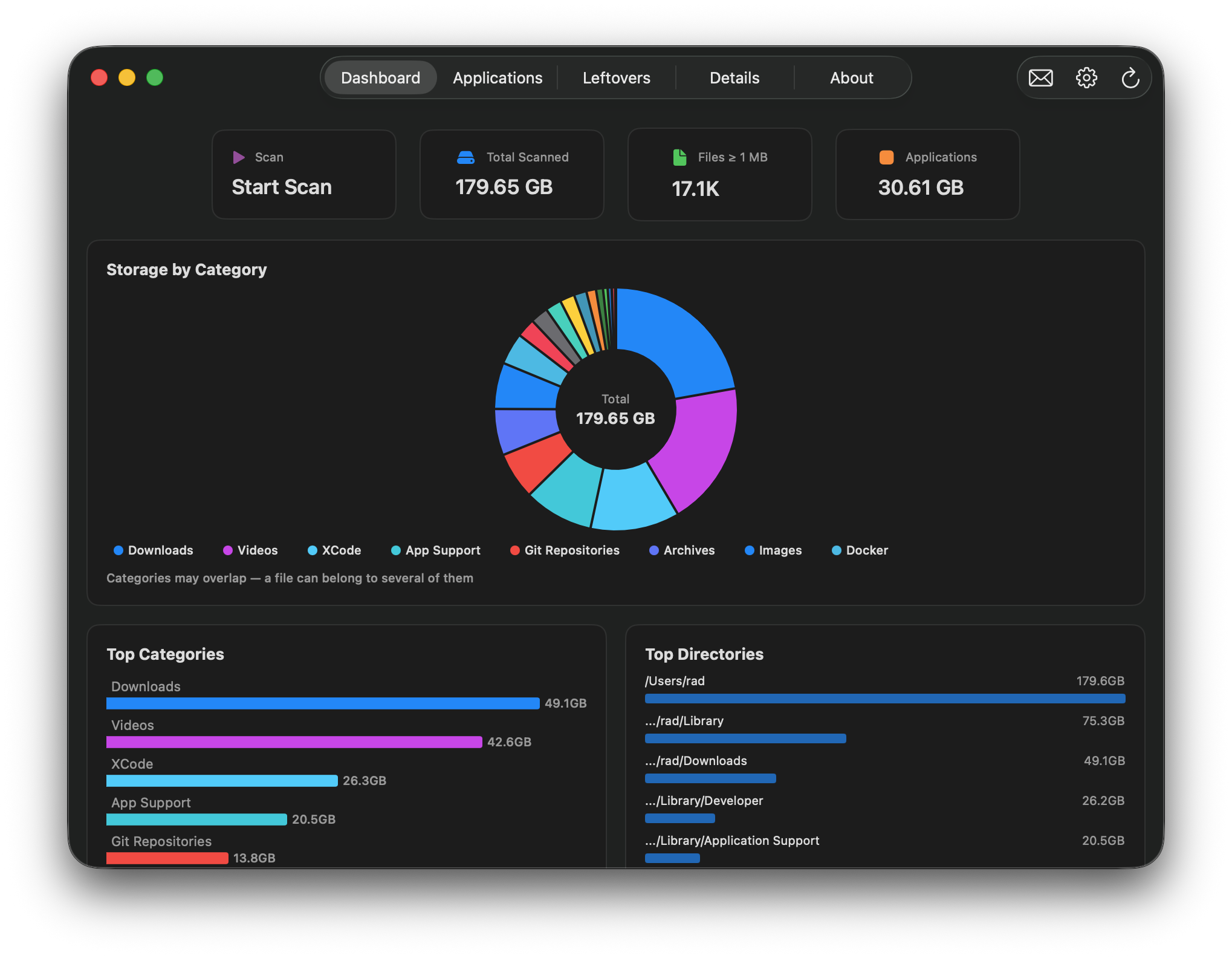
OverClean scans your entire disk with real-time progress, then sorts everything it finds into 26 categories on an interactive dashboard — so instead of one grey slice, you see exactly where the space went.
See the dashboard Problem
Apps you uninstalled left their files behind
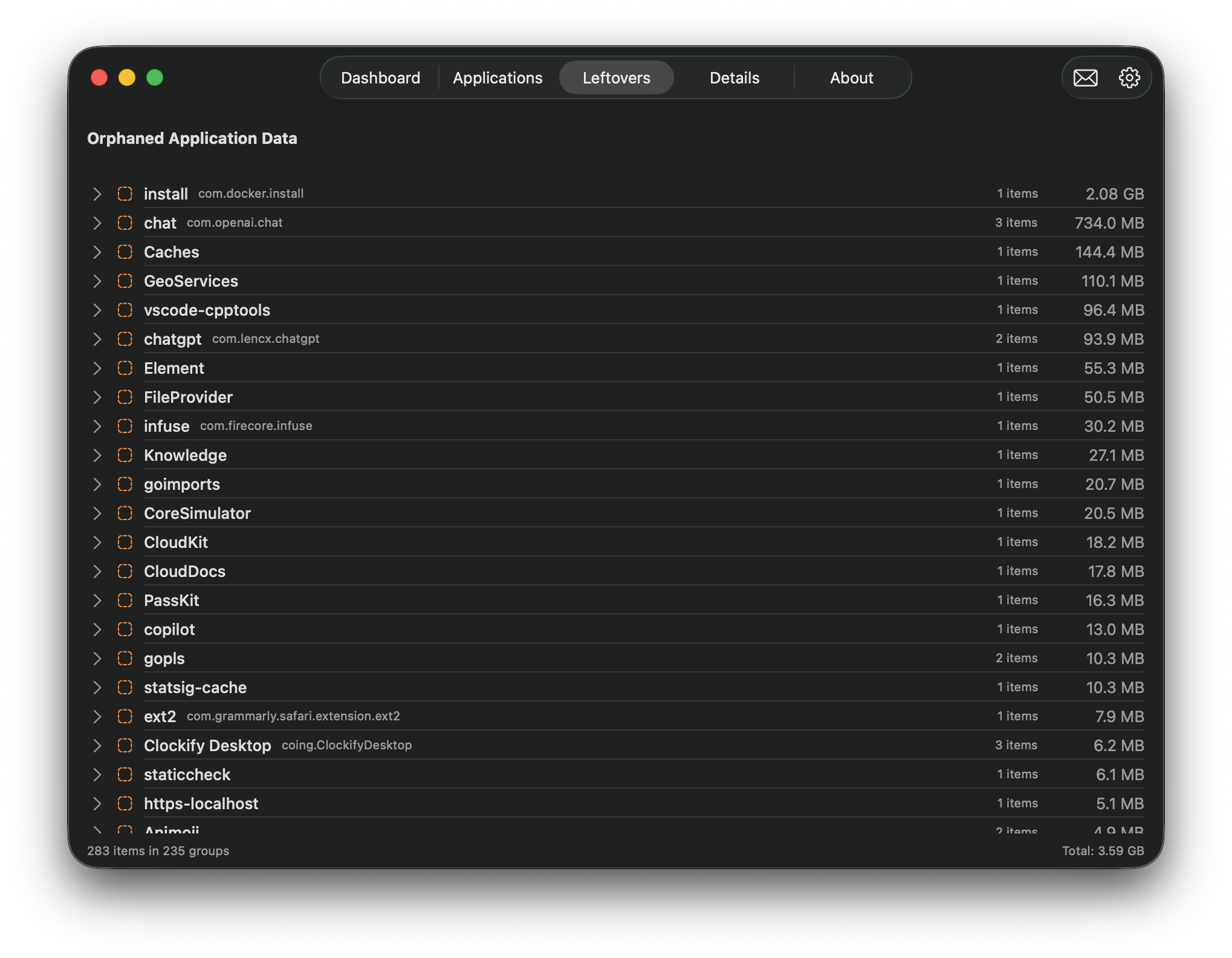
Leftovers Detection scans Application Support, Caches, Preferences, and Logs for data with no app left to own it — orphaned files that sit there indefinitely unless something goes looking for them.
See leftovers detection Problem
You can't tell which app is actually heavy
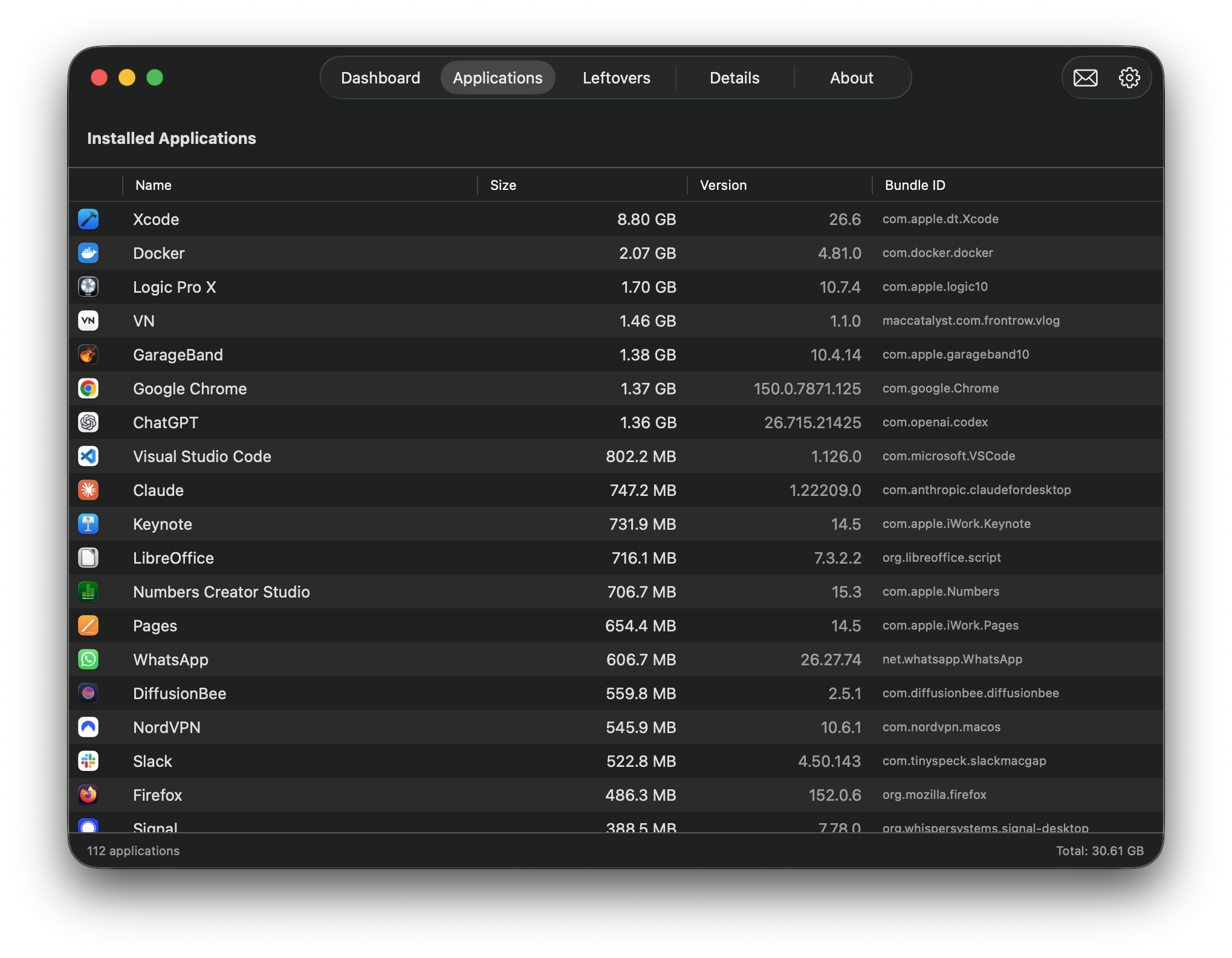
The Applications Manager lists every installed app with its real bundle size, sortable and searchable, so the biggest offenders surface immediately instead of staying hidden in Finder.
See the applications manager Problem
You're afraid to delete the wrong thing
OverClean analyzes and reports — it never deletes anything on its own. Every removal is a manual, confirmed action that goes through macOS Trash, and protected system paths stay off-limits.
See how safe deletion works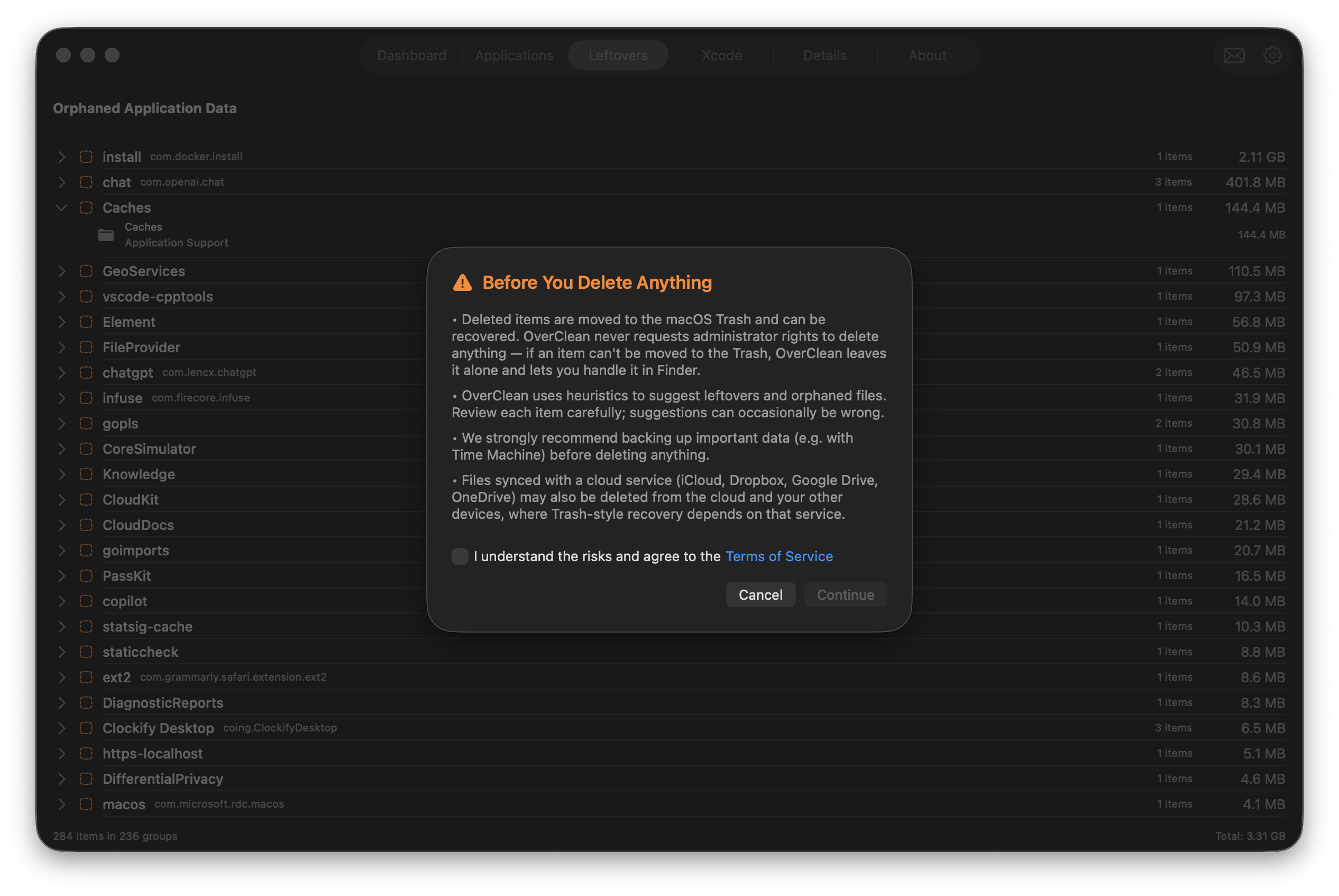
For developers
Write code on this Mac? There's more hiding.
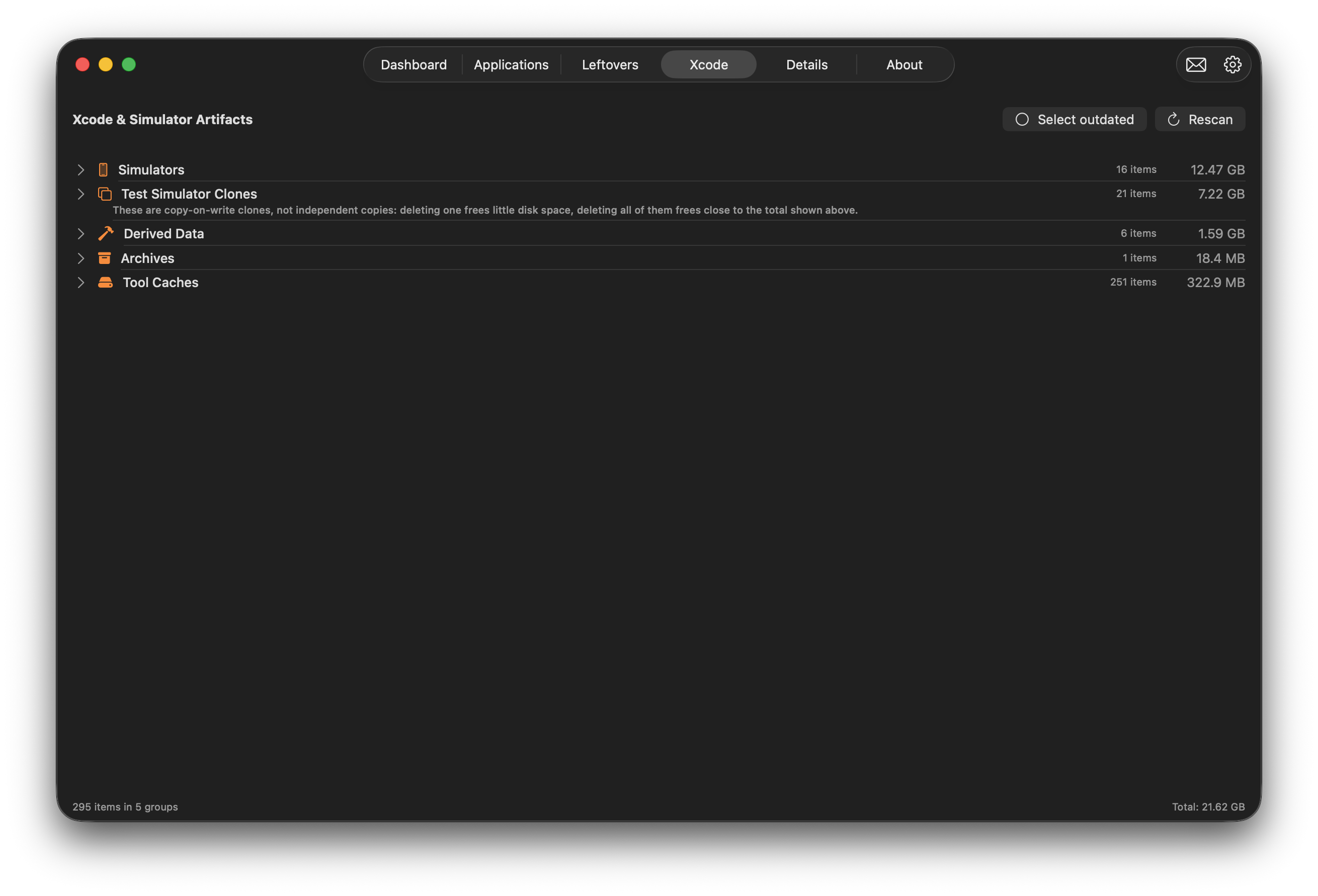
Xcode DerivedData, archives, and tool caches. iOS Simulators and their test clones.
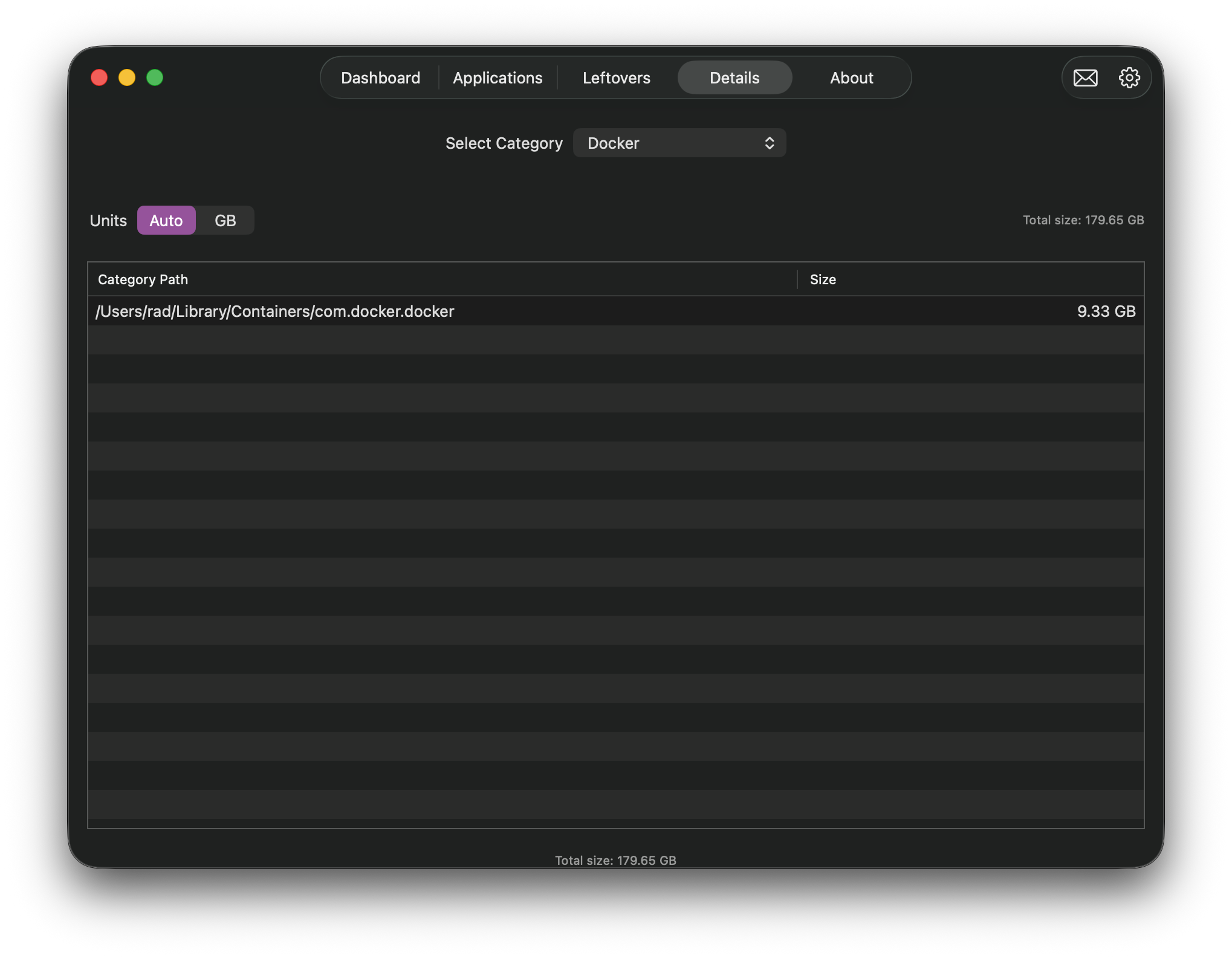
node_modules, Python virtual environments, Docker images,
Git objects — all of it lives outside Finder's view. OverClean finds each of these as
its own category, with sizes down to the individual item.
How it works
Download and scan — free
No account, no card. Just a full scan of your disk.
See where the space went
Categories, sizes, and the actual file paths behind them.
Remove what you choose
Every deletion confirmed by you, into macOS Trash.
No subscription. Ever.
Scanning is free and stays free. The tools that act on what you found unlock once, for $9.99, on up to 3 Macs.
Free
- Full disk scan
- Dashboard & charts
- Category overview
Licensed — $9.99
- Everything in Free
- Details browser
- Applications manager
- Leftovers detection
- Xcode & Simulator artifacts
- Safe cleanup
One-time payment · 3 Macs · No subscription
Buy License — $9.99Curious how a one-time license compares to a yearly plan? See the comparison
Ready to Reclaim Your Space?
Download OverClean now, scan for free, and unlock the cleanup tools whenever you're ready.
One-time $9.99 · macOS 14.6+ (Sonoma and later) · Apple Silicon